
For most Canadian households, the best IPTV box in Canada is a certified Google TV or Android TV device with current software support, a simple remote and reliable 4K playback. Apple TV may suit existing Apple users, while a Fire TV device remains a practical budget option.
The box itself does not provide channels or subscriptions. It is only the hardware that runs your chosen player and compatible streaming services, so these three decisions should be evaluated separately.
This guide compares the leading options by performance, software updates, connectivity, storage and ease of use. It also explains which specifications actually matter and why generic pre-loaded boxes can be risky: many use outdated Android versions, exaggerate their hardware or stop receiving security updates.
By the end, you will know which IPTV box Canada users should consider for different budgets, televisions and viewing habits—and what to check before spending any money.
Key Takeaways
- Prioritize certified Android TV or Google TV hardware for better security.
- Understand that hardware and content subscriptions are two separate purchases.
- Avoid “fully loaded” devices that may compromise your home network safety.
- Focus on official app stores to ensure long-term software updates.
- Reliable home networking is essential for high-quality streaming performance.
Best IPTV Box Canada: The Short Answer and What You Are Buying
Many Canadians want the perfect streaming solution, but few know the difference between hardware and service. Finding the best iptv box means knowing how it works with your network and content providers.
Which device suits most Canadian households
For most users, a certified Google TV or Android TV device is the gold standard. These units have simple menus and work with major streaming platforms. If you use Amazon often, a Fire TV device may feel more natural.
Some users prefer a dedicated iptv android box for its flexibility. Others may choose MAG devices for portal-based services. Make sure your hardware supports the apps you use most.
The difference between an IPTV box, player app and subscription
It is a common myth that buying a box gives you premium channels. The box is simply the hardware that connects your TV to the internet. You must install a player app to organize and show your streams.
The content comes from an IPTV subscription, a separate service you buy from a provider. Think of the box as your TV, the app as your remote, and the subscription as your cable package. All three parts need each other to work well.
What to check before buying from a Canadian retailer
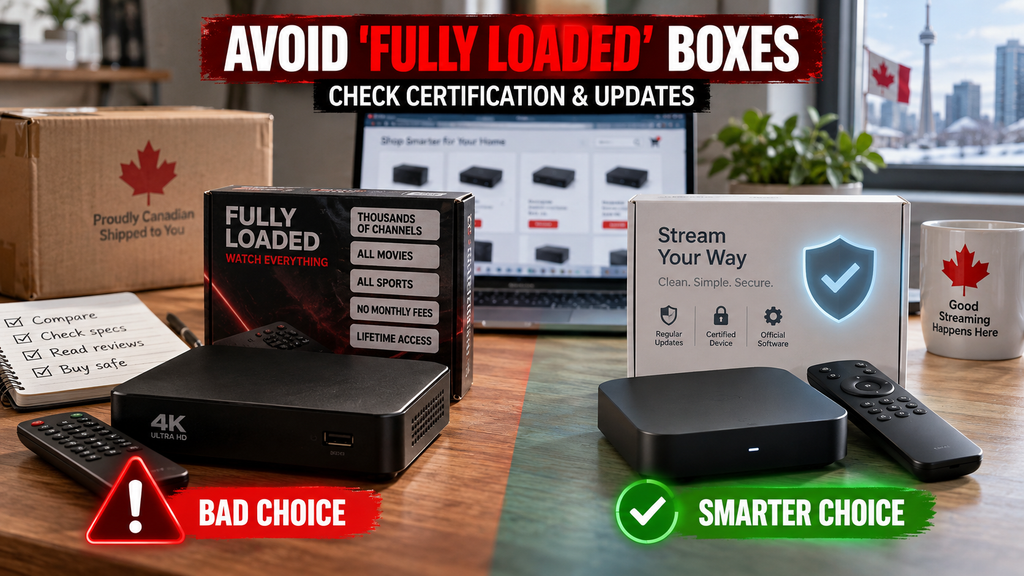
When you browse for an iptv box for sale, choose a trusted local retailer. Before ordering, check that the device is genuine, not a generic clone. Confirm its operating system is current and supports modern security updates.
Always confirm the return policy and a valid Canadian warranty. Be wary of iptv box deals that seem too good to be true. They may include old hardware or lack power adapters for Canadian outlets. Online iptv box price canada listings can change with promotions and stock.
Fire TV vs Android TV Box and Other Platforms Compared
Choosing a high-quality IPTV box in Canada requires knowing how major streaming platforms differ. The best streaming box Canada offers depends largely on your technical comfort and existing devices.
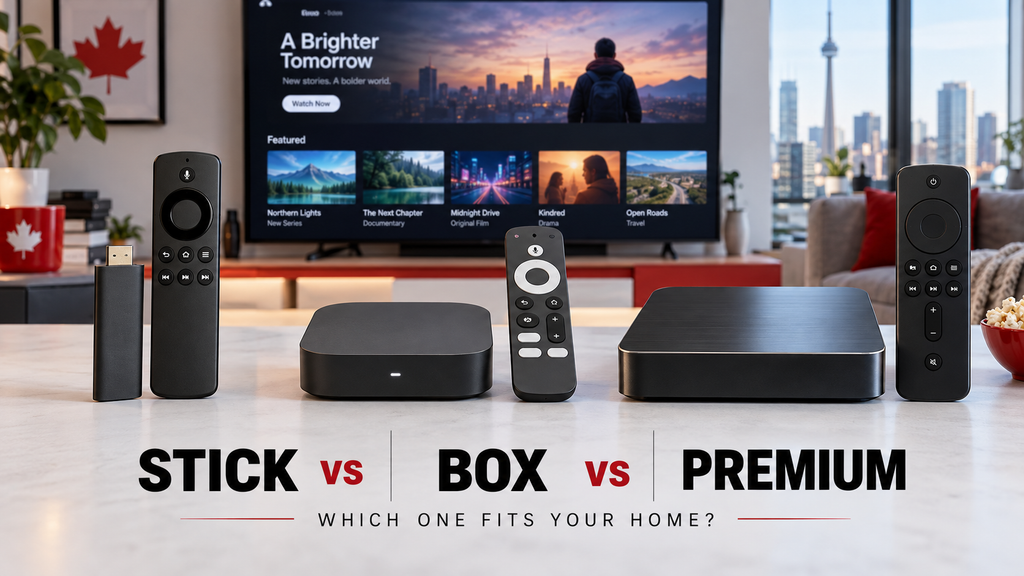
At-a-glance comparison table for Fire TV, Google TV, certified Android TV, Apple TV and MAG
This fire tv vs android tv box comparison shows how these platforms generally differ. Features and prices vary by model and Canadian retailer availability.
| Platform | Primary OS | 4K/HDR Support | App Ecosystem | Best For |
|---|---|---|---|---|
| Fire TV | Fire OS | Yes | Broad/Mainstream | Casual Viewers |
| Google TV | Android-based | Yes | Extensive | Balanced Users |
| Certified Android TV | Android TV | Yes | High Flexibility | Power Users |
| Apple TV | tvOS | Yes | Curated/Premium | Apple Households |
| MAG | Linux/Custom | Varies | Portal-Specific | Dedicated Services |
Fire TV Stick 4K Max: familiar interface and broad streaming app support
The Fire TV platform is known for its user-friendly interface. It provides quick access to mainstream streaming services and suits people seeking a simple plug-and-play experience.
Google TV Streamer: the balanced choice for most users
Google TV offers a refined experience that helps you discover content. It balances simplicity with customization, so you spend less time searching and more time watching favourite shows.
NVIDIA SHIELD TV: a certified Android TV box for demanding users
If you want a powerful android TV box Canada users trust, this device stands out. It offers unmatched performance and flexibility, with AI upscaling and high-end gaming support.
Apple TV 4K: the polished option for Apple households
For households using Apple devices, this option provides a smooth, high-performance experience. It has a fast interface and excellent Apple service integration, creating a premium feel.
MAG 540w3: a dedicated player for compatible portal-based services
Unlike general streaming devices, the MAG 540w3 supports specific portal-based IPTV services. It is a specialized tool for users who need a stable connection to their chosen provider. It does not offer a broad app store.
When reading various iptv box reviews, remember that the best device depends on your needs. Check Canadian pricing and confirm the hardware supports your intended services.
Choose the Right IPTV Box Canada for Your Household
Choosing a living-room device means matching your household’s needs with available technology. Whether you watch casually or use advanced features, selecting the right iptv box canada starts with your daily media habits. Choose hardware that works with your current setup instead of repeating features your television already offers.
Best affordable IPTV box for casual streaming
If you watch live television only sometimes, you do not need costly high-end hardware. An affordable iptv box offers strong value by focusing on essential streaming features. These devices suit secondary rooms, such as guest bedrooms or kitchens, where simple controls matter most.
Best Android TV box Canada for flexible app support
Viewers who want a custom setup may prefer an android tv box canada. These devices are the gold standard for flexible viewing and support a wide range of third-party applications through the Google Play Store. This flexibility lets you manage several streaming services through one clear interface.
Best IPTV box with remote for family use
A user-friendly iptv box with remote helps families with children or older relatives. Choose a model with dedicated shortcut buttons for popular apps and responsive voice search. An uncluttered remote helps everyone find favourite channels without technical frustration.
Best option for Apple, Ethernet and advanced home networks
Advanced users need strong connections for stable streaming. A dedicated Ethernet port helps complex home networks avoid Wi-Fi congestion. An iptv box for smart tv should support high-speed networking for 4K content without buffering or quality drops.
Minimum specifications worth paying for in 2026
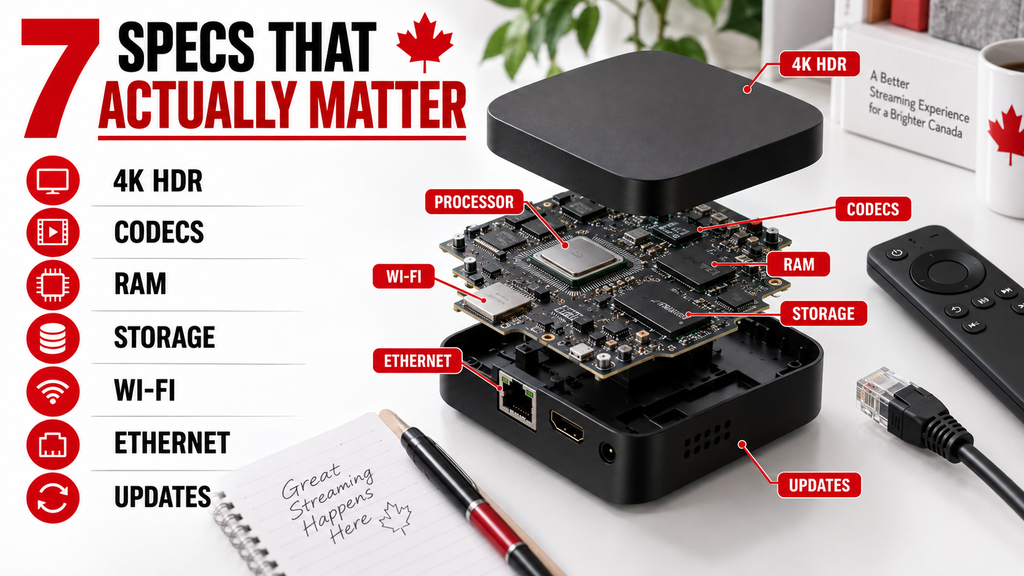
To keep your device useful through 2026, check its internal hardware carefully. Choose at least 2GB of RAM and modern codec support for smooth playback. Reliable dual-band Wi-Fi is essential for any top-rated iptv box on today’s market.
| User Profile | Key Priority | Recommended Feature |
|---|---|---|
| Casual Viewer | Budget | Basic 1080p/4K support |
| Power User | Flexibility | Android TV OS |
| Family Household | Ease of Use | Voice-enabled remote |
| Tech Enthusiast | Connectivity | Gigabit Ethernet |
IPTV Box Setup, Troubleshooting and Red Flags to Avoid
Once you decide to buy an IPTV box online, the next step is a smooth installation. Configure the hardware correctly for stable, high-quality viewing at home.
How to set up your IPTV box step by step
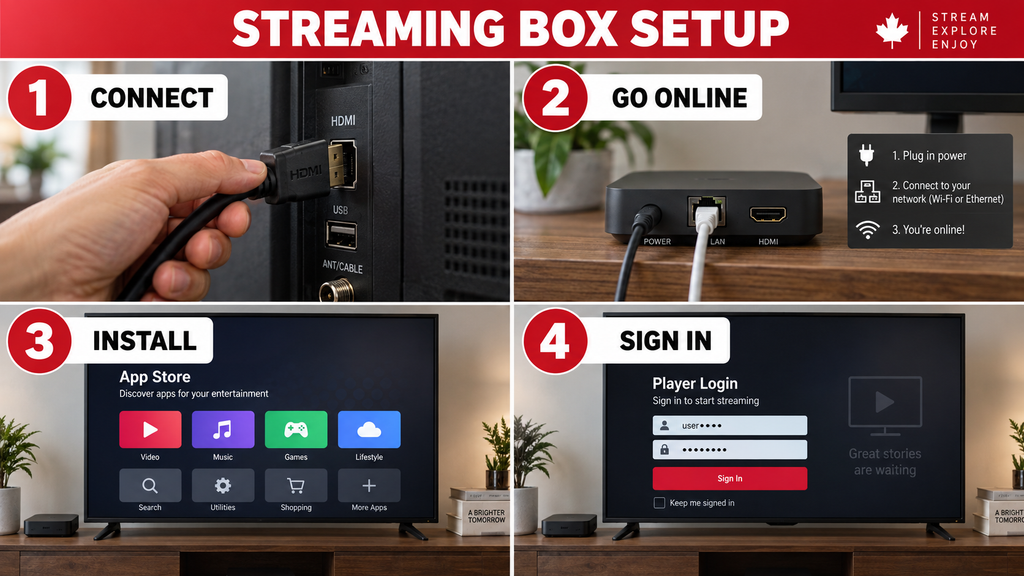
Inspect your hardware first to confirm all parts are present and undamaged. Connect your iptv box to your television with a quality HDMI cable, then plug in the power adapter.
After powering on, follow these steps for your iptv box setup:
- Connect to a secure, high-speed Wi-Fi network or use an Ethernet cable for better stability.
- Navigate to the system settings to download and install all available firmware updates.
- Download a legitimate player application from the official app store.
- Enter your authorized service credentials carefully to link your subscription.
- Perform a test of both live channels and on-demand content to verify playback quality.
Fix buffering, freezing, missing channels and audio problems
First, identify whether the issue comes from your device or service provider. Buffering and freezing often result from network congestion, not the hardware.
Try these practical steps to fix common playback issues:
- Switch to a wired Ethernet connection to eliminate Wi-Fi interference.
- Check for pending app updates that might resolve compatibility bugs.
- Verify your audio output settings in the system menu if you experience sound delays.
- Test your connection during off-peak hours to see if your internet service provider is throttling traffic.
No device can fix poor service or a weak internet connection. For more details, check our IPTV sports streaming guide or our HD versus 4K IPTV Canada comparison.
Recognise fake specifications and outdated Android versions
Be careful with listings that promise unrealistic hardware performance. Many low-cost devices claim to have huge amounts of RAM or storage that they lack.
Always confirm that the device runs a modern, supported Android version. Outdated software creates serious security risks and stops many modern apps from working correctly.
Avoid unsafe or misleading IPTV box bundles
Avoid sellers who advertise “fully loaded” bundles. These bundles often include unauthorized software that can threaten your home network security.
Unclear licensing and hidden firmware changes are major red flags. If a seller has no clear return policy or hides its identity, look elsewhere.
Practical Canadian buying checklist
Use this table to assess your next purchase and choose a reliable product.
| Feature | What to Look For | Why It Matters |
|---|---|---|
| Power Compatibility | Canadian Standard (120V) | Prevents electrical damage |
| Pricing | GST/HST Inclusive | Avoids hidden checkout fees |
| Support | Active Firmware Updates | Ensures long-term security |
| Returns | Clear 30-day Policy | Protects your investment |
Conclusion: which IPTV box should you buy in Canada?
The right streaming box depends on your television, budget and preferred apps. For most Canadian households, a certified Google TV or Android TV device offers the best balance of app support, straightforward navigation and long-term software maintenance.
Fire TV devices remain practical for budget-conscious viewers, while Apple TV works especially well for households already using Apple products. A MAG box may suit users who specifically need a portal-based interface, but it is less flexible for general streaming apps.
Look beyond impressive numbers printed on the packaging. Reliable updates, responsive controls, suitable codec support, stable Wi-Fi or Ethernet and an easy return policy matter more than exaggerated RAM or 8K claims.
Avoid boxes advertised as “fully loaded.” The hardware may be legal to own, but pre-installed access does not prove that the content is licensed, secure or dependable.
Once you have selected your device, follow our IPTV installation guide to connect it correctly and configure a compatible player.
Frequently asked questions
What is the best IPTV box in Canada for beginners?
A certified Google TV or Fire TV device is usually the easiest starting point. Both offer guided setup, familiar menus and remote-friendly interfaces. Choose based on whether your preferred apps appear in the device’s official app store.
Which IPTV box is best for 4K streaming?
Choose a device that explicitly supports 4K at 60 frames per second, HDR, modern video codecs and dual-band Wi-Fi or Ethernet. Your television, internet connection and source quality must also support 4K; the box cannot improve a low-quality stream.
How much does an IPTV box cost in Canada?
Prices vary by brand, storage, performance and retailer. Entry-level sticks generally cost less than premium set-top boxes. Compare the final Canadian price, warranty, return policy and update support instead of choosing only the cheapest listing.
Where should I buy an IPTV box in Canada?
Use an established Canadian retailer or the manufacturer’s authorized store. Check the model number, warranty coverage, certification and return conditions. Be cautious with marketplace sellers offering unknown boxes bundled with pre-loaded content.
Is an Android IPTV box legal to own in Canada?
Yes. An Android TV box is general-purpose streaming hardware and is legal to own. Legality concerns the content and service used with it. Choose authorized sources and avoid offers that provide paid programming without clear distribution rights.
Is a dedicated box better than a Smart TV app?
A separate box can provide faster navigation, broader app support and more frequent updates than an older television. A recent Smart TV may work perfectly without extra hardware, so test its built-in platform before purchasing another device.
Fire TV or Android TV box: which is better?
Fire TV offers a simple interface and affordable hardware. A certified Android TV or Google TV device may provide a wider selection through Google Play. App availability changes, so confirm that your preferred player is officially supported before buying.
What specifications should I check before buying?
Check certification, software-update support, 4K and HDR compatibility, supported codecs, storage, Wi-Fi standards, Ethernet availability and remote quality. Avoid making a decision from RAM or processor claims alone, especially when the manufacturer cannot be verified.
How do I set up an IPTV box?
Connect the box to your television with HDMI, attach power, join your home network and install a compatible player from the official app store. Enter only the credentials supplied by your authorized service, then test playback before changing advanced settings.