
Choosing an IPTV player in Canada depends mainly on your device. TiviMate is a strong option for Android TV, while SmartOne is available on many Samsung and LG televisions. IPTV Smarters Pro supports several popular platforms, and Apple users can consider players designed specifically for iPhone, iPad and Apple TV.
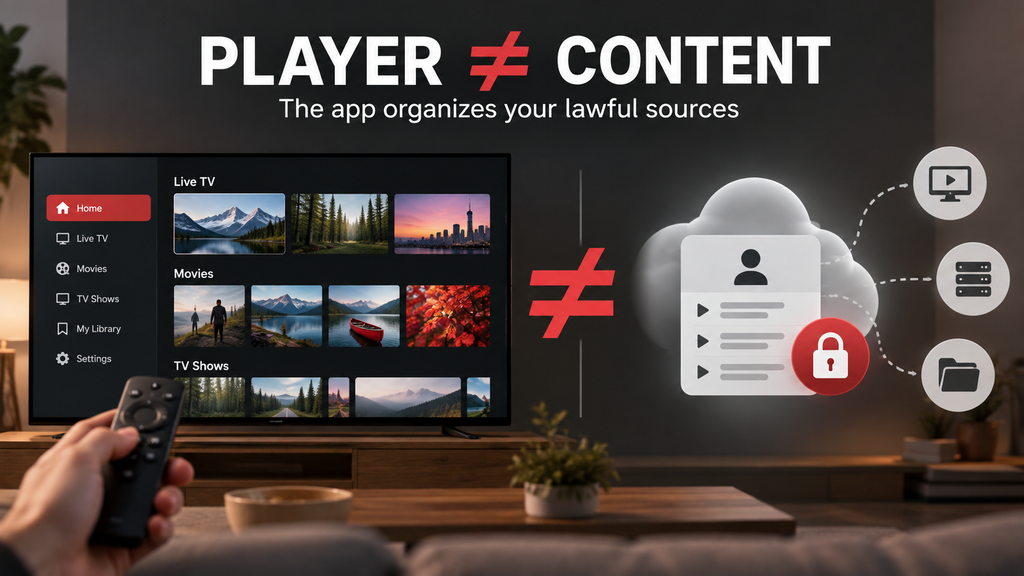
These applications are players only. Even the best IPTV apps in Canada simply organize playlists or provider credentials; they do not automatically include television channels, films or sports. Always use content from a provider authorized to distribute it in Canada.
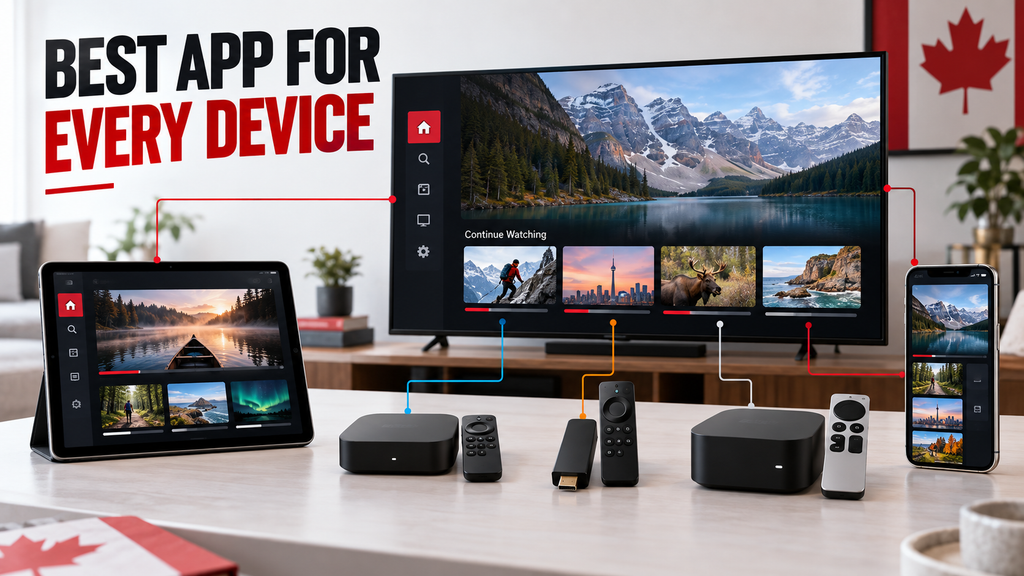
Because availability, features and pricing can change, check the current listing in your device’s official app store before installing anything. This guide compares seven IPTV players by compatibility, interface, EPG support, playback controls and cost, helping you choose the right app without confusing the player with the subscription service.
Key Takeaways
- These tools are only media players and do not provide television content.
- Always source your streams from a legitimate and lawful provider.
- TiviMate is highly recommended for Android and Google TV users.
- SmartOne is a reliable choice for Samsung and LG smart televisions.
- We regularly update our findings to reflect current Canadian market standards.
Best IPTV Apps Canada: Quick Picks for Every Device
With so many choices, finding software to manage streams can feel overwhelming. We selected the top rated iptv apps and best iptv apps canada for devices Canadians use.
These iptv apps canada work with streaming boxes and built-in smart TV systems. The right choice can make viewing smoother and easier.
Top Recommendations by Device
Best overall for Android TV and Google TV: TiviMate
TiviMate Canada users often call it the gold standard for its clear design and strong features. It creates a polished, cable-like experience and simplifies large channel lists.
Best for Samsung and LG smart TVs: SmartOne IPTV
SmartOne suits viewers who use their television’s built-in operating system. It is widely considered the best iptv app for smart tv platforms, including Tizen and webOS. It offers reliable playback without extra hardware.
Best for Fire TV: IPTV Smarters Pro
For an Amazon streaming stick, IPTV Smarters Pro Canada remains a fan favourite. This iptv app for firestick fits the Fire TV ecosystem and supports many media formats.
Best for Apple TV and iPhone: GSE Smart IPTV
Apple users often prefer clean, simple designs, and this app delivers. It is a versatile free iptv player for playlist formats on iOS and tvOS devices. This makes it one of the best streaming apps for iptv.
Best flexible option for advanced users: Kodi with a legal IPTV add-on
Kodi is a powerful media centre for users who enjoy customization. A legitimate add-on can turn it into a personalized entertainment hub.
Understanding How IPTV Players Function
Players organise an M3U playlist or Xtream Codes login
An IPTV player is simply a software interface. It does not host content; it organizes M3U playlists or Xtream Codes credentials into a user-friendly guide.
Readers must obtain television content from a lawful provider
Get television streams from a legitimate, authorized provider. Downloading a free iptv app or free iptv apps does not provide legal access to copyrighted content. Always use a verified, lawful source.
Canadian Expectations for App Availability
Explain that app names, store listings, features and pricing can change
The digital landscape changes often, so best iptv apps canada listings can vary by region and device model. Features and subscription costs may change without notice. The availability of these top iptv apps in Google Play or the Apple App Store may also change.
Note that the article should verify current details through official stores and manufacturers
Check the official manufacturer website or your device’s app store for the latest version and compatibility. Official sources help you download a secure, up-to-date iptv app for android tv or app for another platform.
| App Name | Primary Device | Key Strength |
|---|---|---|
| TiviMate | Android/Google TV | User Interface |
| SmartOne | Samsung/LG TV | Native Integration |
| IPTV Smarters | Fire TV | Broad Compatibility |
| GSE Smart | Apple/iOS | Design Quality |
IPTV Player Canada Comparison Table
Choosing the right tool for home entertainment means checking how each app meets your needs. When searching for an iptv player canada, remember that software differs in performance and device support.
Compare the seven players at a glance
These iptv app comparisons are easier with a clear overview of the top choices. These iptv streaming apps can differ greatly in design, features, and ease of use.
| Player | Primary Devices | Key Features | 4K Support |
|---|---|---|---|
| TiviMate | Android/Google TV | M3U, EPG, Multi-screen | Device Dependent |
| IPTV Smarters | Android, Fire TV, LG/Samsung | Xtream Codes, EPG | Device Dependent |
| SmartOne | Samsung, LG, VIDAA | M3U, EPG, Favourites | Device Dependent |
| GSE Smart | Apple TV, iOS, Android | M3U, EPG, Catch-up | Device Dependent |
| Sparkle TV | Android/Google TV | M3U, EPG, DVR | Device Dependent |
| Televizo | Android, Fire TV | M3U, Xtream Codes | Device Dependent |
| Kodi | Multi-platform | Add-ons, M3U | Device Dependent |
Compare store availability and pricing responsibly
Finding a reliable free iptv player is common, but some offer premium features. Check official stores for legitimate software, including trusted iptv apps canada listings.
Identify official Samsung, LG, Google Play, Amazon Appstore and Apple App Store listings where available
Separate free IPTV players from optional paid upgrades or subscriptions
Instruct the writer to confirm current prices rather than inventing figures
When comparing paid iptv apps, check for one-time purchases or recurring monthly subscriptions. Prices change often, so verify the current cost in your device’s app store. Also compare whether an xtream codes app suits your playlist needs.
“Always prioritize apps found in official stores to ensure your device remains secure and your data stays private.”
— Digital Security Expert
Compare update history, remote control support and privacy information
Your experience may depend on how often developers release updates. An iptv app for samsung tv with regular patches may offer better remote support. An iptv app for lg tv may also have fewer bugs.
Explain how update frequency and developer support affect long-term use
Check privacy labels, permissions and developer policies before recommending an app
Before installing, read the privacy policy to learn what data the app collects. For an iptv app for apple tv or mobile m3u player, checking permissions protects your digital safety. Also review epg support and remember that a 4k iptv app depends on your device.
- Update Frequency: Look for apps updated within the last six months.
- Remote Support: Ensure the interface is optimized for your specific remote.
- Privacy: Avoid apps that request unnecessary access to your contacts or location.
Seven IPTV Apps Compared for Canadian Viewers
Finding the right software helps organize digital content and creates a smoother viewing experience. In iptv app comparisons, each player offers a different way to navigate and manage media. These best iptv apps connect your device with your chosen content sources.
TiviMate for Android TV and Google TV
Interface and Navigation
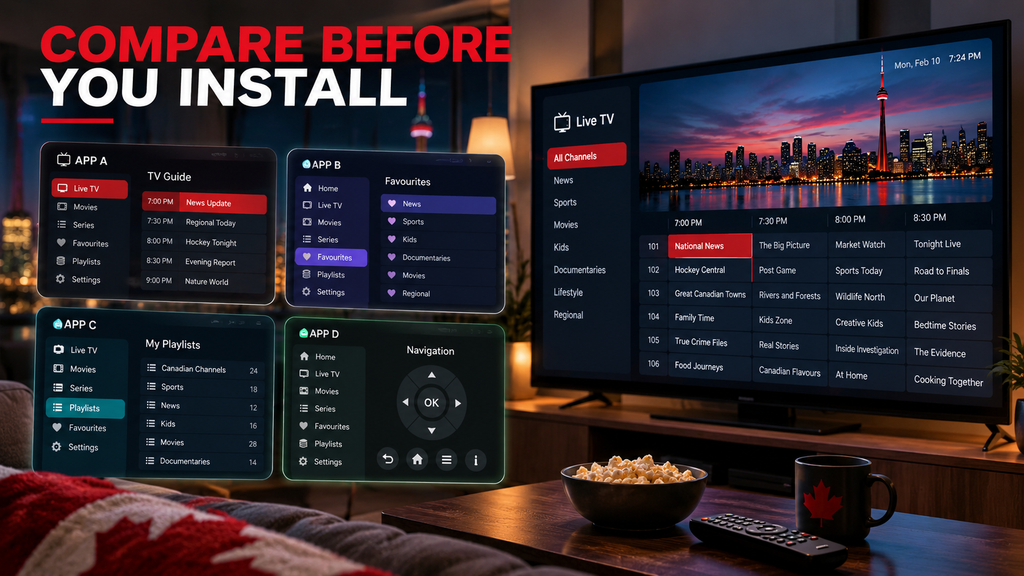
TiviMate has a polished interface designed for televisions. Its clean EPG layout makes channel browsing feel like using a traditional cable box.
Technical Support and Features
This application supports M3U playlists and Xtream Codes. Many users choose paid iptv apps to unlock recording and multi-view features.
Choosing the Right Version
If you are searching for tivimate canada, download it from the official Google Play Store. It suits users who want a premium, remote-friendly experience on Android hardware.
IPTV Smarters Pro for Fire TV, Android and selected smart TVs
Functionality and Media Support
This player supports M3U files and Xtream Codes. It sorts live TV, movies, and series into categories, making it a versatile m3u player for many devices.
Official Availability
Download this software from official app stores instead of unofficial APK files. This helps protect your device and provides regular updates.
Clarifying the Service
The term iptv smarters pro canada refers only to the player software. It does not provide television content or subscriptions.
SmartOne IPTV for Samsung and LG smart TVs
Smart TV Integration
SmartOne suits viewers who do not want an external streaming stick. Its native interface works well with Samsung and LG television systems.
Setup and Usability
The app offers simple playlist setup and EPG access. You can manage channels with your standard television remote, making the experience easier.
Store Verification
Before installing, check the current listing in your TV’s official app store. This player suits viewers who want a tidy setup without extra hardware.
GSE Smart IPTV for Apple TV, iPhone and Android
Cross-Device Management
GSE Smart IPTV manages playlists across different platforms. It supports M3U formats and standard EPG functions for better organization.
Platform Availability
You can find this app on the Apple App Store and Google Play. It suits users who switch between mobile devices and larger screens.
Control Experience
Its mobile-first controls work well on touchscreens but may feel less suitable for traditional TV remotes. It remains a solid portable choice.
Sparkle TV for Android TV and Google TV
Guide and Navigation
Sparkle TV suits users who want a traditional television-guide experience. Its smooth navigation earns it a place among the top iptv apps.
Features and Support
The app supports several playlist formats and shows a clear EPG. It suits viewers who want a simple interface on Android TV.
Premium Options
Optional premium features can improve your viewing setup. This app suits anyone who prefers a classic, reliable guide layout.
Televizo for Android phones, Android TV and compatible devices
Organization and Setup
Televizo organizes multiple playlists, making different sources easier to manage. It works as an xtream codes app and supports standard M3U files.
Device Compatibility
The app works especially well for Android users. Its features are limited on Apple devices, so Android hardware offers the best results.
Pricing and Value
Check Google Play Store for current pricing and feature updates. It suits users who need a clean, efficient way to manage multiple playlists.
Kodi for users who want a configurable media centre
Platform Overview
Kodi is a powerful media player and platform, not a content subscription service. You can configure its media centre to match your needs.
Lawful Setup
Use the PVR IPTV Simple Client to load your own M3U and XMLTV EPG sources. This approach keeps your setup lawful and organized.
Safety Warnings
Avoid unverified add-ons and suspicious repositories that may host pirated streams. When reading iptv app reviews, prioritize security and legal compliance.
Which IPTV App Works on Your Device?
Before exploring digital television, check which apps work with your hardware. Choosing the right software helps your iptv streaming apps run smoothly, without crashes or lag. In Canada, availability often depends on the operating system powering your screen.
Samsung TV and LG TV compatibility
Searching official stores
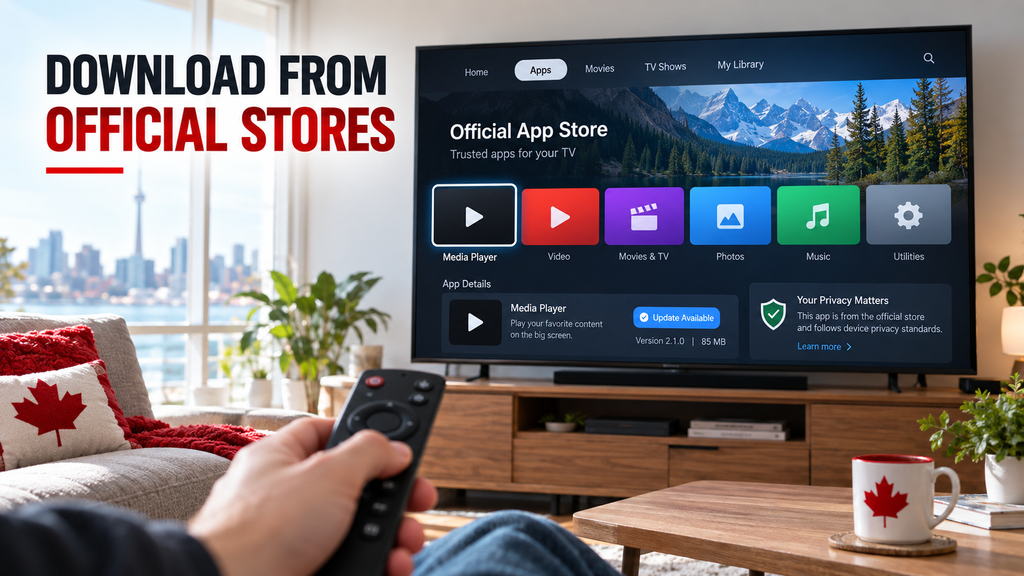
Open the built-in app store on your Samsung or LG device. Use its search tool to find specific player names. If an app does not appear, your TV probably does not support it.
Checking model and regional limits
Always check your TV’s model year and firmware version. Older models may lack the processing power required for modern iptv apps canada. Some apps also have regional limits and may stay hidden in certain countries.
Android TV, Google TV and Fire TV compatibility
Installation through official stores
Devices running Android TV, Google TV, or Fire OS usually use Google Play Store or Amazon Appstore. These platforms provide a simple installation process that helps protect your device. Finding a reliable iptv app for android tv usually requires searching the store and selecting install.
Version differences and risks
A player may work well on a TV but offer fewer features on a phone or tablet. Developers often design separate interfaces for touchscreens and remote-controlled televisions. Avoid sideloading unknown APK files from third-party websites, because they can bypass security settings and expose your system to malware.
Apple TV, iPhone and Android phone compatibility
Controls and casting
Mobile devices use touch controls, while Apple TV and Android TV boxes use dedicated remotes. Many users cast content or use AirPlay to send it from a phone to a larger screen. Ensure your hardware supports these protocols for a stable connection.
Feature parity
Do not assume an iPhone app offers the same features on Apple TV. Developers may prioritize features for iptv app for apple tv users, such as remote navigation and high-definition playback.
Link to related device guides
Helpful resources for your setup
- Find the best iptv app for smart tv to optimize your living room experience.
- Learn how to install the ideal iptv app for firestick for your streaming needs.
- Get specific setup instructions for an iptv app for samsung tv or an iptv app for lg tv.
How to Set Up an IPTV Player Safely
Start with care to keep your device secure. A clear process supports strong performance and privacy when setting up iptv.
Choose a player from the official device store
Confirm the developer name, app permissions, rating information and update date
Download software from trusted sources, such as the Google Play Store or Amazon Appstore. Before installing an iptv app for firestick, check the developer’s name and user reviews. Review permissions carefully; a media player should not access your contacts or location.
Do not treat a free download as proof that the service or content is legal
Many free iptv apps are available, but an official store does not prove their streamed content is legal. The software is only a playback tool. You must ensure streams are authorized and follow Canadian copyright laws.
Prepare your lawful playlist or provider login
Use an M3U URL, Xtream Codes credentials or XMLTV EPG URL only when supplied lawfully
To watch content, enter your provider details. Whether you use an m3u player or an xtream codes app, ensure the credentials come from a verified, legal provider. These formats only organize authorized content.
Never publish, share or reuse another person’s login details
Your subscription credentials are for personal use only. Sharing them can cause account suspension or security breaches. Keep these details private to protect your account and personal data.
Add the playlist and EPG
Open the app’s playlist or account section and select the correct input method
After installing the app, open its settings or playlist menu. With iptv smarters pro canada, choose “Add New User” or “Load Playlist.” Select the method your provider recommends, such as M3U or Xtream Codes.
Paste URLs carefully and check HTTPS, spelling and expiry details
Typing long URLs can cause errors. Use a remote keyboard or companion app to copy and paste each link correctly. Confirm the link starts with HTTPS and that your subscription remains active.
Map the XMLTV EPG to the correct channel names if the guide is blank
If your electronic program guide (EPG) is empty, manually map the XMLTV link. Confirm the guide source is active and linked to your channel list. This lets you view current and upcoming programmes.
Set playback and accessibility preferences
Choose hardware decoding when supported by the device
Hardware decoding helps your device process video efficiently and reduces processor strain. It is recommended for smooth high-definition playback. If video stutters, switch between hardware and software decoding.
Adjust subtitles, audio tracks, parental controls, favourites and language settings
Set your preferred language and audio tracks for a better viewing experience. Enable parental controls when family members share your device. Mark frequently watched channels as favourites for quick access.
Use wired Ethernet or strong Wi-Fi for high-bitrate and 4K streams
High-quality streams need a fast, stable internet connection. Use a wired Ethernet cable when possible to reduce interference. With Wi-Fi, keep the router nearby and use the 5GHz band.
Protect your account and device
Use a unique password, avoid unknown links and review app permissions
Make security a priority when managing digital media. Use a strong, unique provider password and avoid suspicious links in the app. Review device permissions often to catch unauthorized changes.
Link to an internal guide about IPTV setup in Canada
For a detailed walkthrough, see our comprehensive IPTV setup guide for Canada. It explains advanced network and device settings for your media player.
| Feature | Recommended Action | Security Impact |
|---|---|---|
| Source | Official App Stores | High (Verified) |
| Credentials | Private/Unique | High (Protected) |
| Connection | Wired Ethernet | Medium (Stability) |
| Permissions | Minimal Access | High (Privacy) |
How to Choose the Best IPTV App for Your Needs
Choosing the best IPTV player for your home setup takes more than choosing the most popular option. Your choice should match your hardware, technical comfort, and household media habits.
Choose by user type
For simple smart-TV viewing: choose an app with a clear remote-friendly guide
If you prefer traditional television, choose an interface built for simplicity. Choose an iptv player canada that starts quickly and offers a clean, grid-based electronic program guide (EPG). It should work well with your standard remote.
For Android TV power users: prioritise playlist groups, EPG controls and multi-screen features
Enthusiasts often want more customization. For an iptv app for android tv, look for multi-screen viewing and detailed playlist management. Many users consider tivimate canada a top choice because of its strong features and frequent updates.
For Apple households: check Apple TV, iPhone and AirPlay support separately
Apple users need apps that work smoothly with the tvOS ecosystem. When choosing an iptv app for apple tv, confirm native support for your hardware. This can help prevent performance issues and interface glitches.
For families: look for profiles, favourites, parental controls and clear privacy settings
Managing content for several users requires strong organization tools. Choose apps with individual profiles, parental controls, and easy ways to save favourite channels.
For 4K viewers: confirm that the television, device, network and lawful stream all support 4K
A reliable 4k iptv app is only one part of the equation. Your internet speed, streaming device, and television must all support 4K standards.
Use a practical evaluation checklist
Before choosing software, review it with this checklist. It can help you find the best iptv canada options for your needs.
- Official store listing and compatible device: Always download from official sources like the Google Play Store or Apple App Store to ensure security.
- M3U and Xtream Codes support where needed: Verify that the app supports the specific playlist formats required by your service provider.
- Reliable EPG, remote navigation and playlist management: Test the interface to ensure you can navigate menus without frustration.
- Transparent pricing, recent updates and understandable privacy disclosures: Research whether you are dealing with free software or paid iptv apps that offer better long-term support.
These steps help you compare the best streaming apps for iptv and find one that suits your lifestyle.
Include one authoritative external source
Link to the Canadian Radio-television and Telecommunications Commission guidance on broadcasting, streaming or consumer information
For information about digital media rules, visit the Canadian Radio-television and Telecommunications Commission (CRTC) website. It offers useful information about Canada’s broadcasting landscape.
Explain that the external source supports lawful, informed viewing rather than endorsing a particular player
The CRTC explains your rights and responsibilities as a consumer. Its guidance supports informed and lawful viewing rather than endorsing specific software or providers. These resources help you choose among the many top rated iptv apps.
Fix Common IPTV App Problems
Even the best iptv streaming apps can face technical problems that interrupt viewing. An iptv app for samsung tv or an iptv app for lg tv may face settings or network problems.
Resolve a blank guide or missing channels
Refresh the playlist, confirm the EPG URL and check time-zone settings
If your guide is empty, refresh the playlist manually in the app settings. Check that your EPG URL works and is correct; one typo can break epg support. Canadian users should check time-zone offsets, especially in Newfoundland, which uses UTC-3:30.
Match channel identifiers when the app requires XMLTV mapping
Some advanced players need channel IDs mapped to XMLTV data. If the guide shows wrong programs, check that each internal channel ID matches the source identifier. This helps your 4k iptv app show accurate schedule data.
Fix buffering, freezing and poor 4K playback
Test the home network, move closer to the router or use Ethernet
Buffering often signals a weak Wi-Fi signal, not a faulty app. Move closer to the router or use wired Ethernet for a steadier connection. This matters for high-bitrate content on any 4k iptv app.
Lower playback quality when the device or connection cannot sustain the stream
If your internet speed is limited, lower the stream quality in the player settings. Changing from 4K to 1080p can often stop freezing. A player cannot fix an overloaded or unavailable source; a provider server outage needs provider action.
Resolve login and playlist errors
Check expiry dates, account limits, URL spelling and device time
Login failures often result from expired subscriptions or reaching your provider’s device limit. Set your device system time to “Automatic” to prevent authentication mismatches. Check the spelling of your M3U or Xtream Codes URL.
Remove and re-add credentials without sharing them publicly
If you still cannot log in, delete the playlist profile and add it again. Never share your login credentials on public forums, because your provider may ban your account. Keep your details private so your service remains active.
Handle app crashes, missing listings and remote problems
Update the app and device firmware through official channels
If the app crashes often, check the official app store and read iptv app reviews. Update your device firmware too, because it supports compatibility with current streaming protocols.
Clear the app cache or reinstall it only after confirming playlist details are saved
Clearing the app cache can fix many performance glitches. Before reinstalling, save your playlist URL and login details. If problems continue, contact the app developer or lawful provider; the cause may involve your account or subscription tier.
“Technology is best when it brings people together, but it works best when you know how to keep it running smoothly.”
— Anonymous
| Problem | Quick Fix | Priority |
|---|---|---|
| Buffering | Use Ethernet | High |
| Blank EPG | Check Time-zone | Medium |
| Login Error | Verify URL | High |
- Are free iptv apps safe? Always download from official stores to avoid malware.
- What is the difference between an app and a provider? The app is the player; the provider supplies the content.
- Why is my 4K stream lagging? Usually, it is a bandwidth issue or a server-side bottleneck.
- How do I fix EPG issues? Ensure your URL is valid and your device time is correct.
- Can I use M3U files on Fire TV? Yes, most major players support M3U imports.
- Is IPTV legal? It is legal if you use authorized services and licensed content.
Conclusion
The best IPTV app in Canada is the one that works reliably on your device and provides the features you actually use. TiviMate and Sparkle TV are practical choices for Android TV and Google TV, while SmartOne supports compatible Samsung and LG televisions. Apple users should select a player currently available for their version of iOS or tvOS.
Remember that these applications are media players, not content providers. You must add your own lawful playlist or credentials from a service authorized to distribute the content.
Before installing an app, confirm its device compatibility, supported playlist formats, privacy policy and current price in the official store. Availability can differ by television model, operating system and Canadian app-store region.
Use our comparison to narrow down your options, then test navigation, EPG accuracy and playback on your own device. Visit Best IPTV Canada for more practical guidance on compatible devices, installation and responsible streaming.
FAQ
What are the best IPTV apps in Canada for Android TV?
TiviMate and Sparkle TV are two established options for Android TV and Google TV. Both support playlist-based television, while Sparkle TV also advertises M3U, XMLTV and DVR/PVR functionality. Applications sur Google Play
Is there a reliable free IPTV player?
Yes. Some players offer free versions with optional paid features. Check the official app listing carefully because free functionality, advertising and upgrade prices can change.
What is the best IPTV app for Fire TV?
The right choice depends on current Amazon Appstore availability and your Fire TV model. Sparkle TV officially lists Fire TV support. Avoid downloading APK files from unknown websites merely because an app is unavailable in the store. Apps on Google Play
What is the best IPTV app for Samsung or LG Smart TV?
SmartOne is available for compatible Samsung Tizen and LG webOS televisions. Compatibility can vary by model and year, so check its official compatibility information before paying or uploading a playlist. SmartOne Player
Does an IPTV player include television channels?
No. An IPTV player only organizes and plays content supplied through a playlist or provider login. The application itself does not automatically include channels, films or sports.
Can IPTV apps play 4K content?
Some players can reproduce 4K streams, but the result depends on the source, device processor, codec support, television and network stability. Installing an app labelled “4K” does not improve a low-quality stream.
Why does my program guide show the wrong time?
The most common causes are an incorrect device time zone, daylight-saving settings or an EPG offset. Set the television to automatic date and time first, then adjust the EPG offset only if the guide remains incorrect.
Which IPTV player works on Apple devices?
GSE Smart IPTV is currently listed in Canada’s App Store, although platform requirements and purchases should be checked before installation. Select an app that explicitly supports your iPhone, iPad or Apple TV version. App Store
Are paid IPTV apps better than free apps?
Not automatically. Paid versions commonly unlock conveniences such as additional playlists, enhanced EPG tools or fewer advertisements. Compare the actual features instead of assuming that a paid app provides better streams.
How do I use an Xtream Codes login?
Select the Xtream Codes or API login option and enter the server address, username and password supplied by your lawful content provider. Confirm the URL carefully and never publish or share these credentials.